
Your companion for Kieser Training.
Kraftsam gives you the tempo, times every machine, tells you the weight for next time and celebrates every week you keep going.
For iPhone, iPad and Apple Watch.
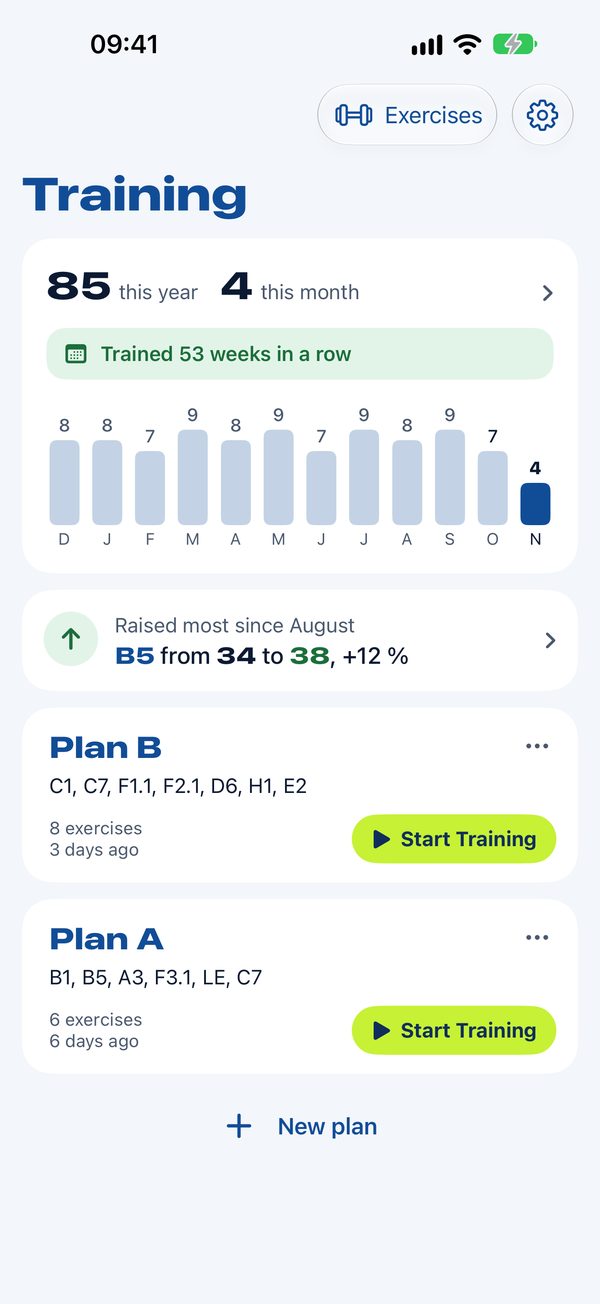
Pick a plan and start.
Your plans are on one page, with the codes of their machines. Tap a plan, then Start Training, and the first exercise is ready.
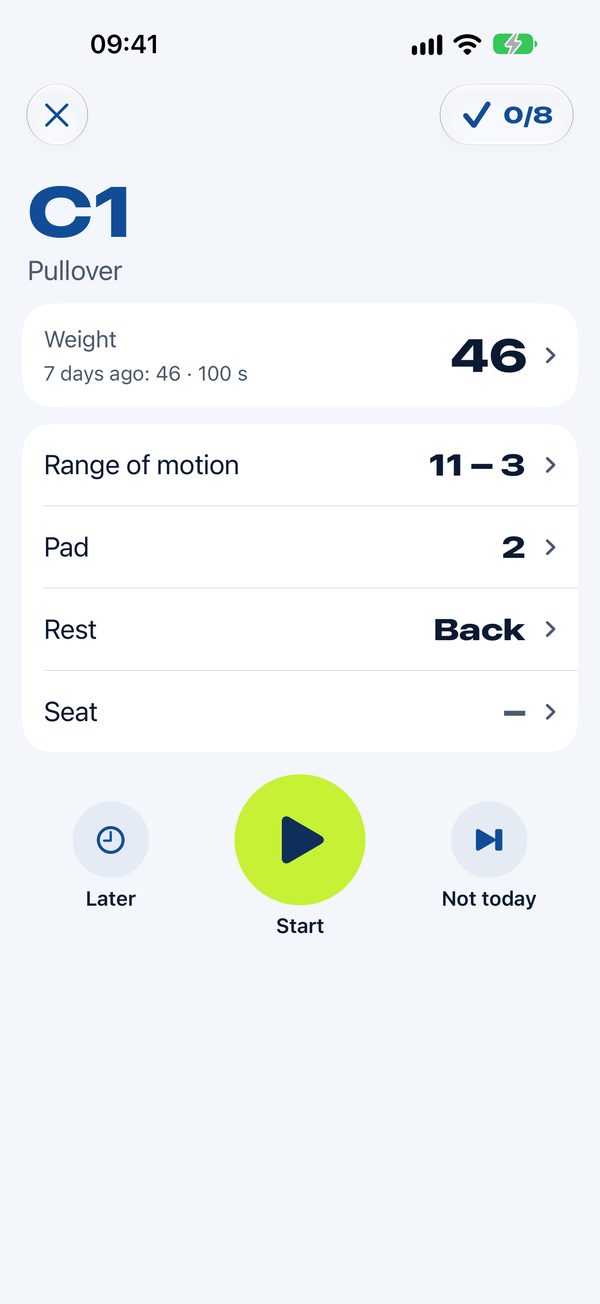
Every machine knows its settings, from the seat to the range of motion. Kraftsam asks for them the first time a machine goes into a plan, and shows them at the start of each exercise.
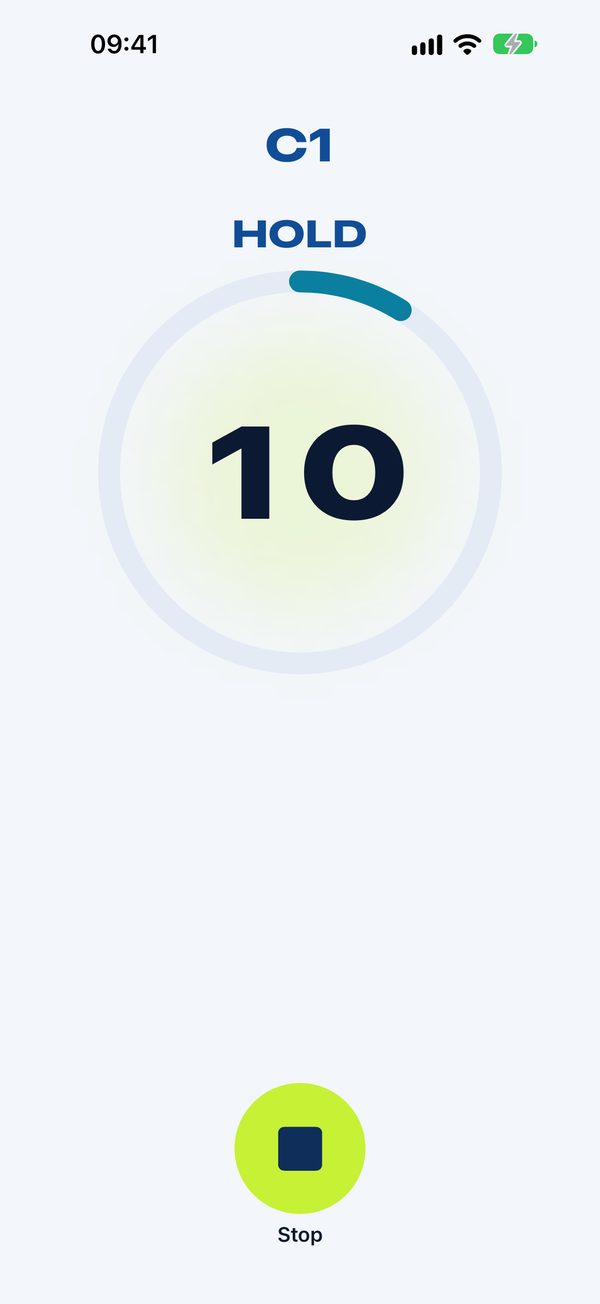
The rhythm in your ear and on your wrist.
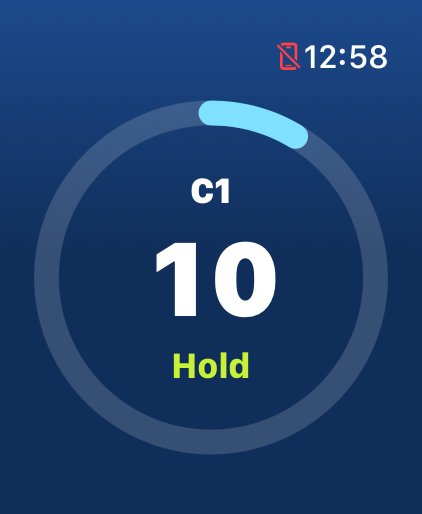
Tones and vibration give the 4-2-4-2 tempo: lift, hold, lower. A ring shows the time, up to your maximum, so you can keep your eyes on the movement.
Tempo, minimum and maximum time and the countdown are yours to set, once for all your plans.
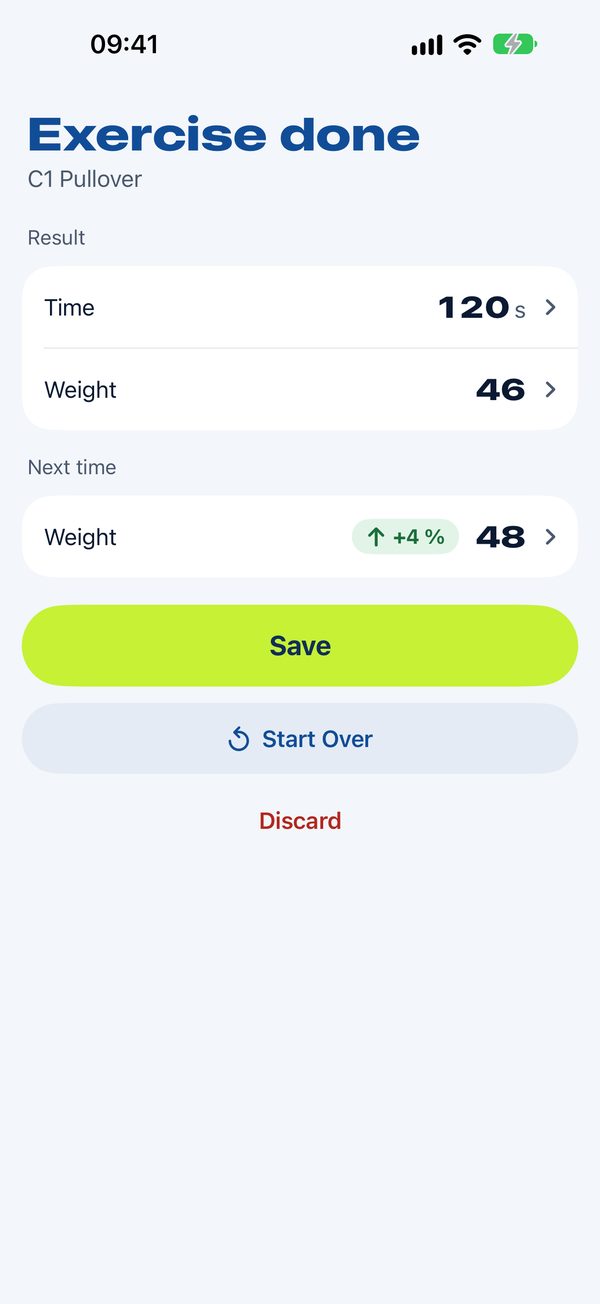
The right weight for next time.
Reach the maximum time and Kraftsam raises the weight for your next training. Stop before the minimum and it goes down. You see it right after the exercise, and it is ready at the machine next time.
Training left and right? Both sides can share one weight, which goes up once both reach the maximum, or each keeps its own.
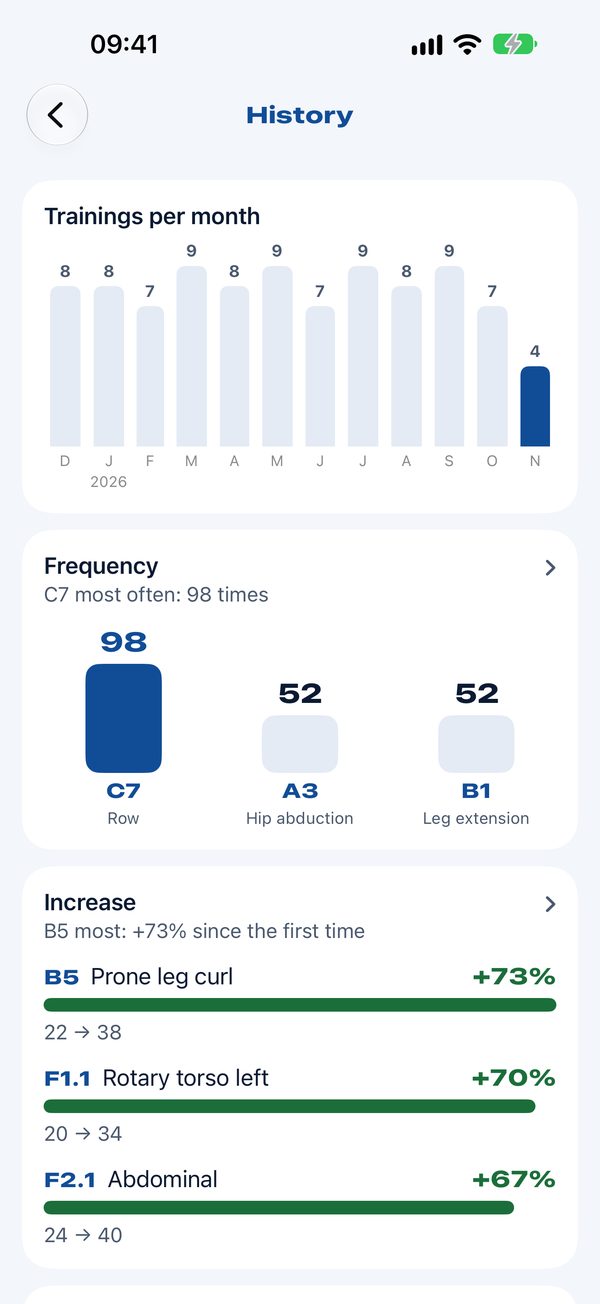
See how far you have come.
How often you trained, month by month and over the year, and how many weeks in a row. For every exercise, how its weight went up from the first time to today.
On the start page, a line with your latest progress: a raise, three raises in a row, or more weight than ever before.
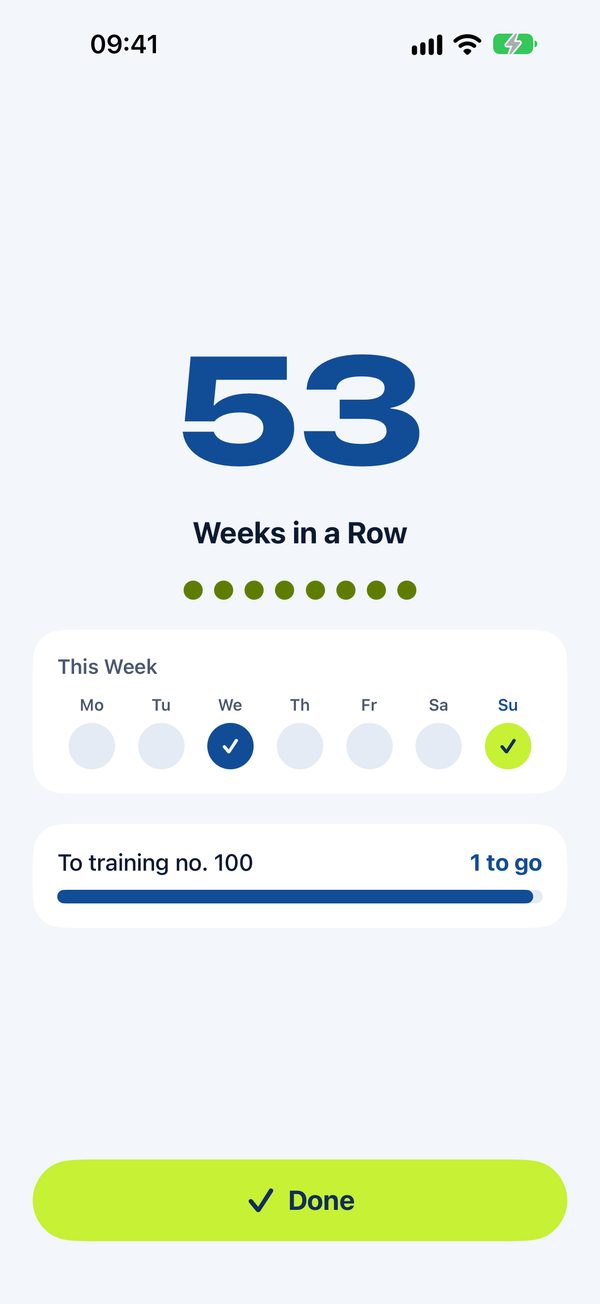
Kraftsam celebrates with you.
After every training, a page of its own: how many weeks in a row you have trained, your 10th, 25th or 50th training, or a welcome back after a break. On the iPhone and on the Apple Watch.
Reach the maximum time and the ring says Done, with a strong tap on your wrist: that weight goes up next time. Your results show which exercises get heavier.
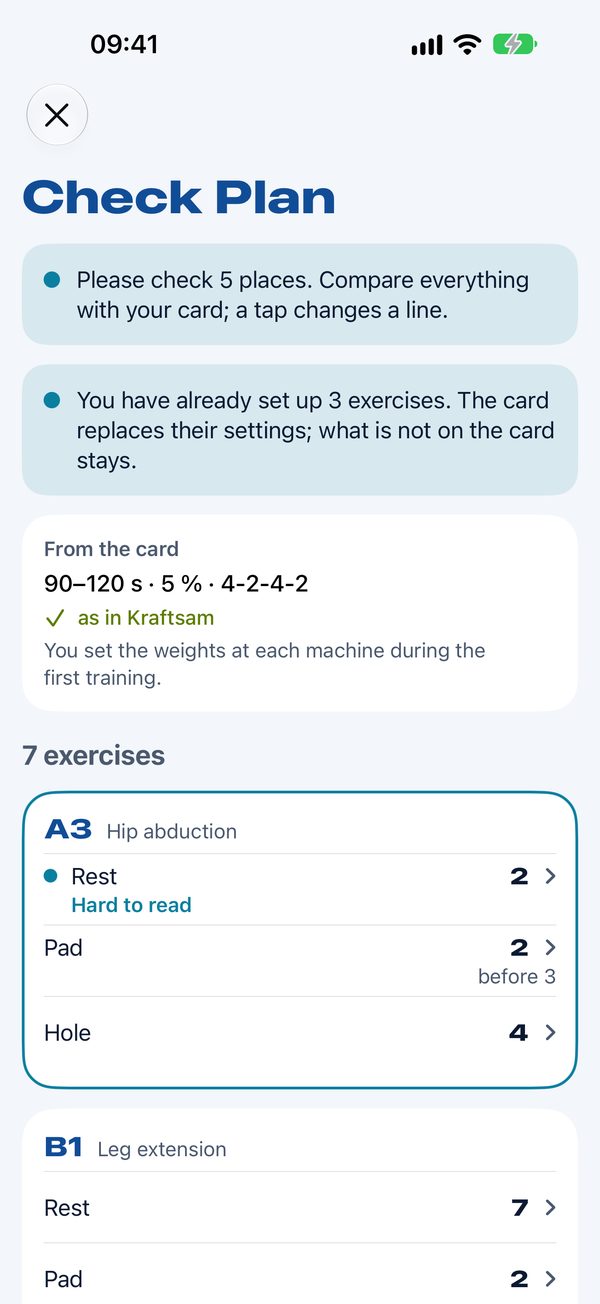
Your training card becomes a plan.
Take a photo of your Kieser training card, and Kraftsam reads its exercises and their settings. You check every line, what was hard to read is marked, and anything the card missed you add from the list. Then the plan is ready.
Before the first scan, Kraftsam explains how the photo is read and asks for your consent. Details are in the privacy policy.
Train from your wrist.
Start, stop, next: three taps per exercise. The tempo goes on as vibration when you lower your arm. Your plans come from the iPhone, and the training goes back to it afterwards.
No account
Your plans and trainings stay on your devices and in your own iCloud, the same on iPhone, iPad and Apple Watch.
Coming from KBuddy?
“Import from KBuddy” in Settings › Data and Backup brings your KBuddy backup over: plans, every training, weights and machine settings.
No ads, no tracking
Kraftsam shows no ads and does not track you. Details are in the privacy policy.
Try everything
Your first 5 trainings come with every feature, at your own pace and without a subscription.
Then unlock Kraftsam
With a monthly or yearly subscription, or once with a one-time purchase. With Family Sharing, your family can use it too.
Your history stays
Plans, history and statistics stay visible, also without unlocking.
Ready for your next training?
Kraftsam is in the App Store, for iPhone, iPad and Apple Watch.
Kraftsam is an independent app and not affiliated with Kieser Training AG.